Atlas Carbon
Empowering Farmers with Smarter, Simpler Tools
Role
Lead Product
Designer
Team
2 Product Designers
5 Engineers
1 QE
My contribution
Discovery
0>1 Product Strategy
End-to-end UI & Interaction design
Design system
Timeline
26 Weeks
The problem
My role
The outcome
Overview
Maia is a powerful tool for graziers and carbon farmers, but its complexity was limiting adoption. I led the 0→1 redesign of the experience to test whether simplifying core grazing workflows could unlock confidence, faster decision-making, and sustained usage, without stripping away capability for advanced users.
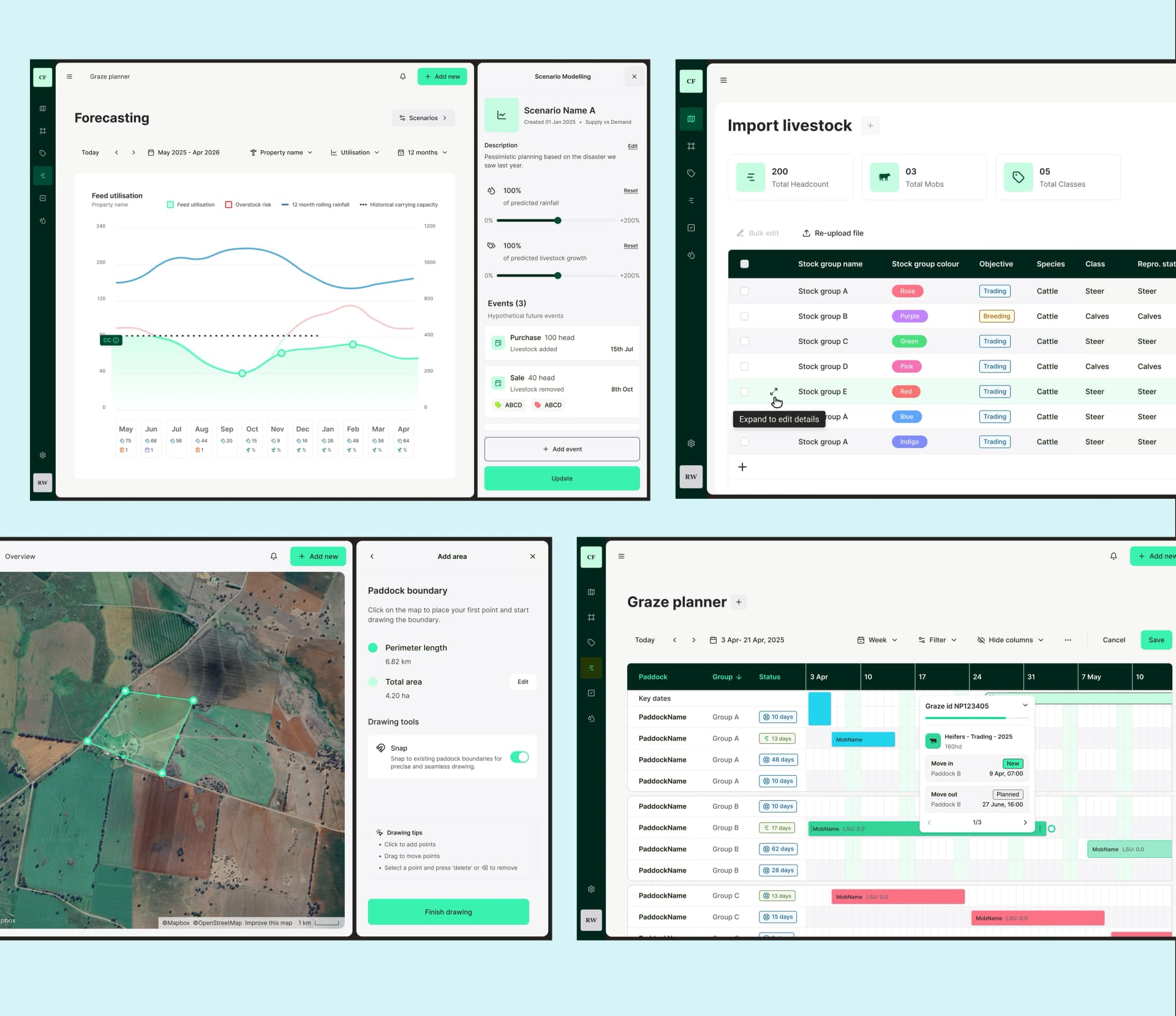
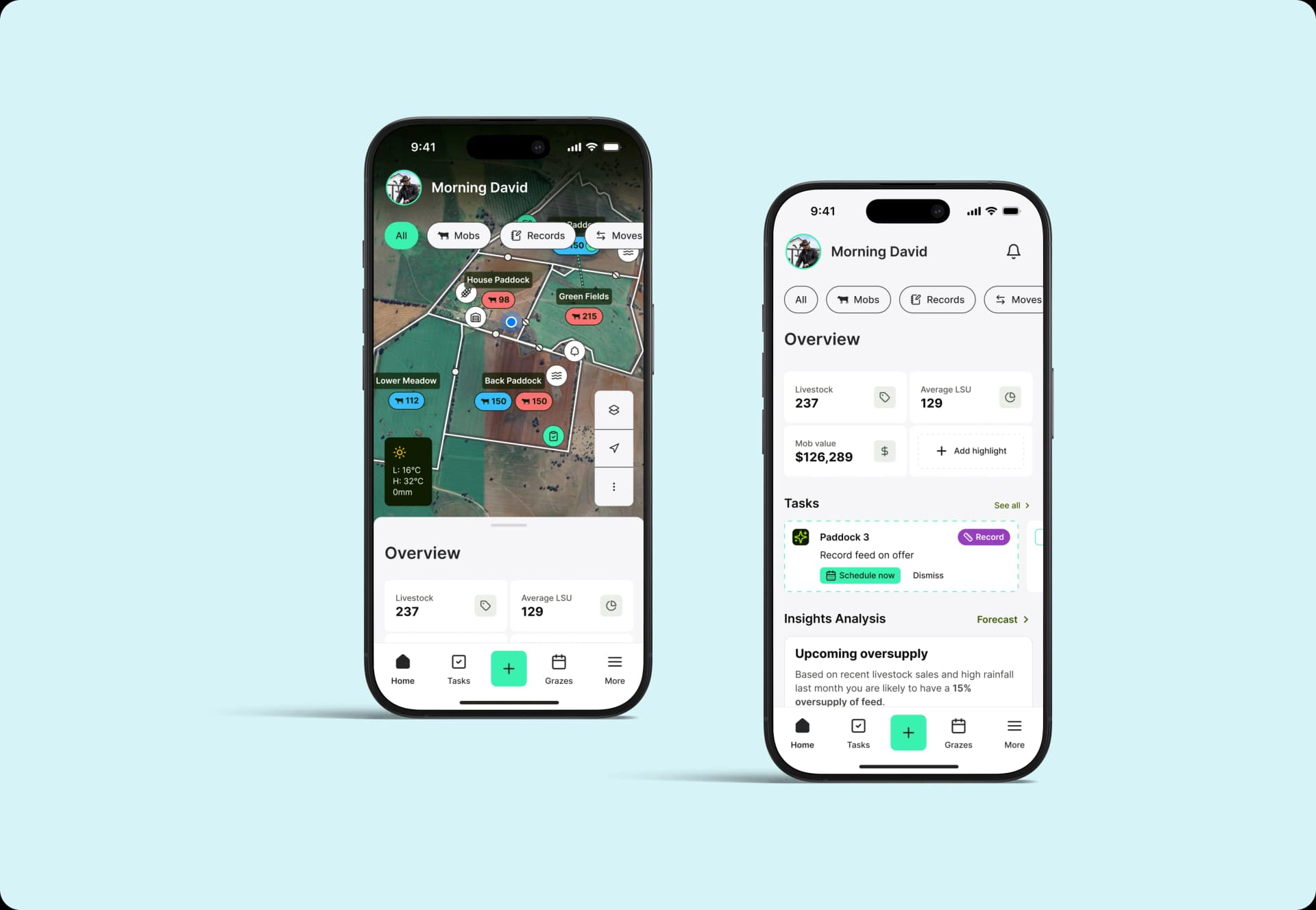
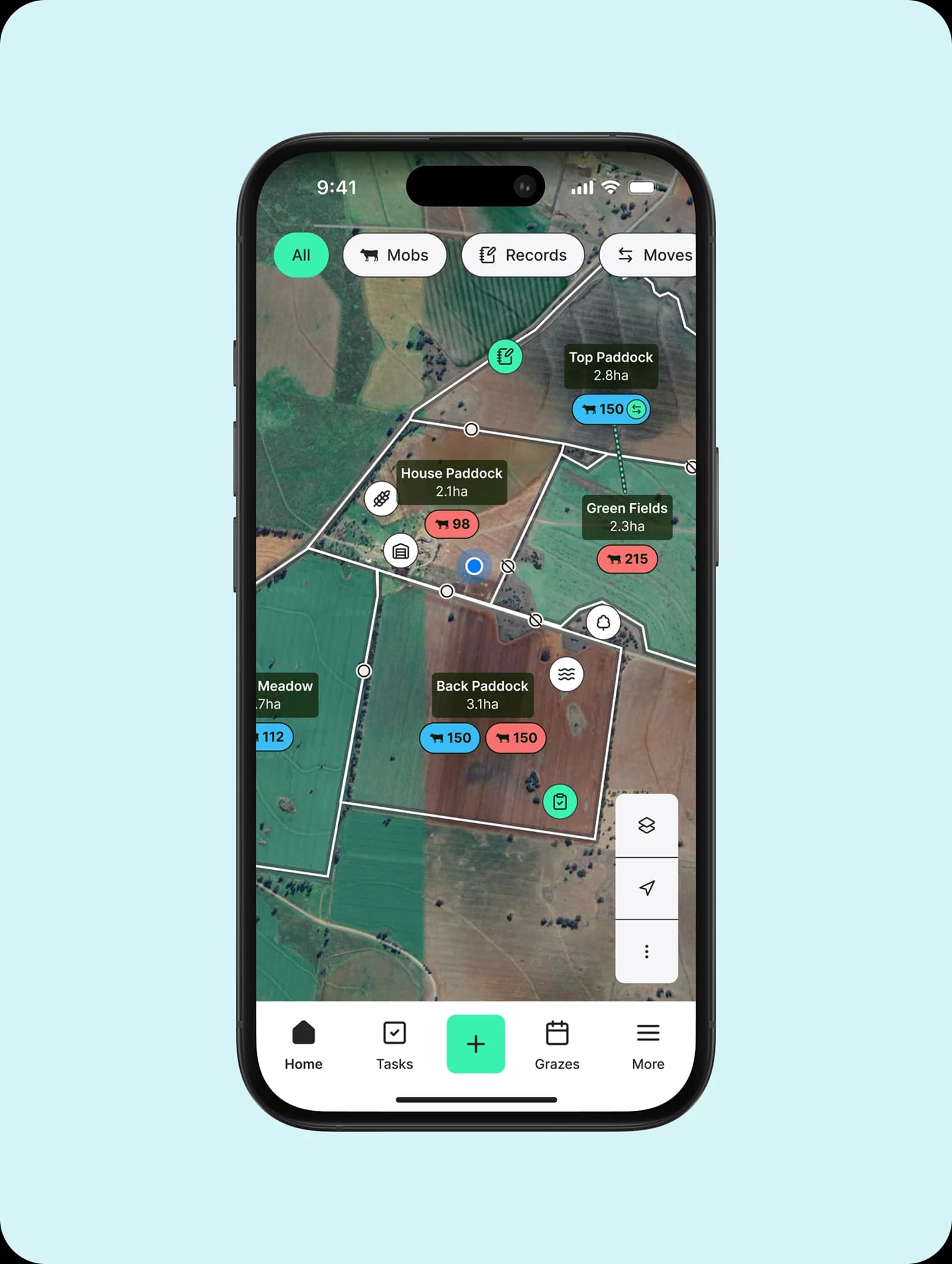
The work focused on validating which moments truly mattered to farmers in the field, and reshaping the product around those signals. I stayed hands-on throughout, designing the core grazing flows, the paddock-map planner and the tokenised UI kit in Figma myself, then shipping polished UI and micro-animations straight to production in Xcode.
Challenge
Maia had strong product-market fit but stalling adoption. New users found the depth overwhelming, long-term customers had built workarounds for inconsistent UI, and decisions in the paddock took longer than they should. This was clear friction that directly impacted growth:
- Steep learning curves for new and aspirational users
- Inconsistent UI making grazing decisions feel harder than they should
- Legacy design debt across devices and modules
- Feature-rich but visually fragmented workflows, reducing confidence and slowing onboarding
The goal went beyond modernising the interface. I wanted to test whether unifying decision-making could improve activation and trust for new users, while still supporting expert farmers.
Planning Overview
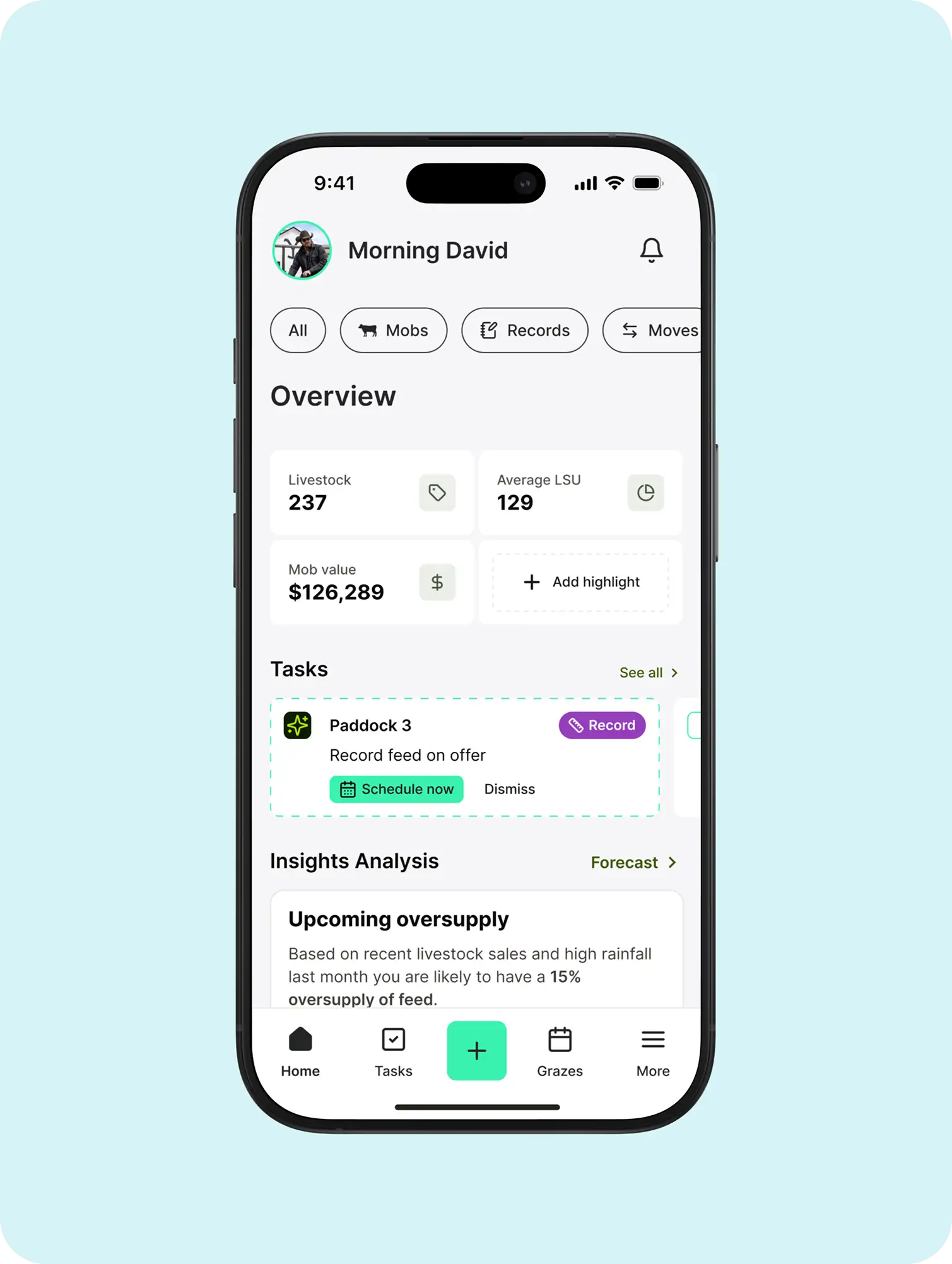
Grazing Stats
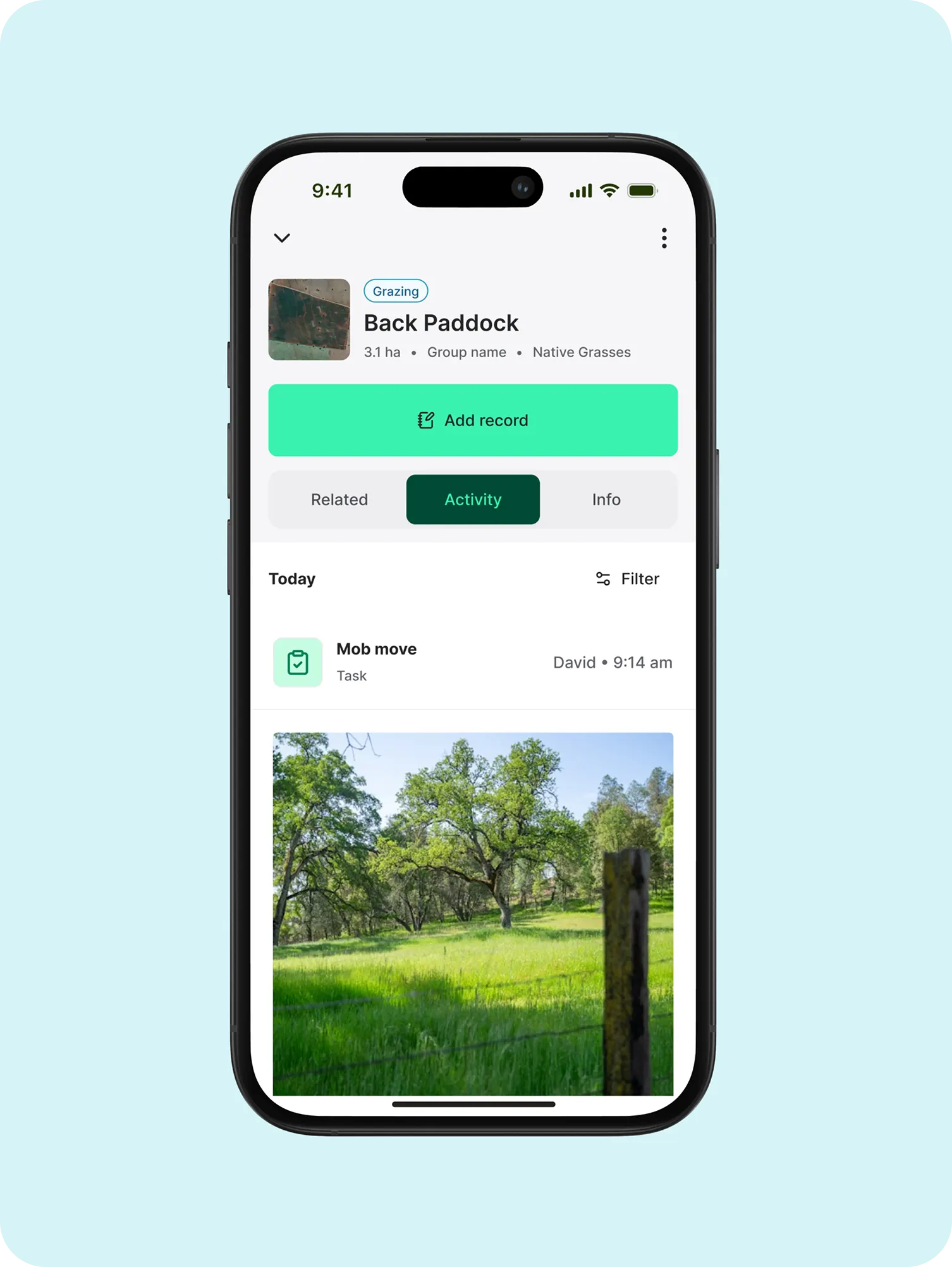
Grazing / Mob Activity
Discovery
I led the full product design process from discovery through to a validated MVP, starting with what we didn't yet know.
- Challenged assumptions: We initially believed feature depth was the main value driver. Conversations with 20+ farmers, new users, long-term customers, churned users, and competitors' users, revealed that confidence and decision clarity were the real adoption blockers.
- Mapped user maturity: Instead of designing for “average” users, I tested how needs changed from first-time grazers to experienced carbon project leads. This shaped when to guide, when to automate, and when to step back.
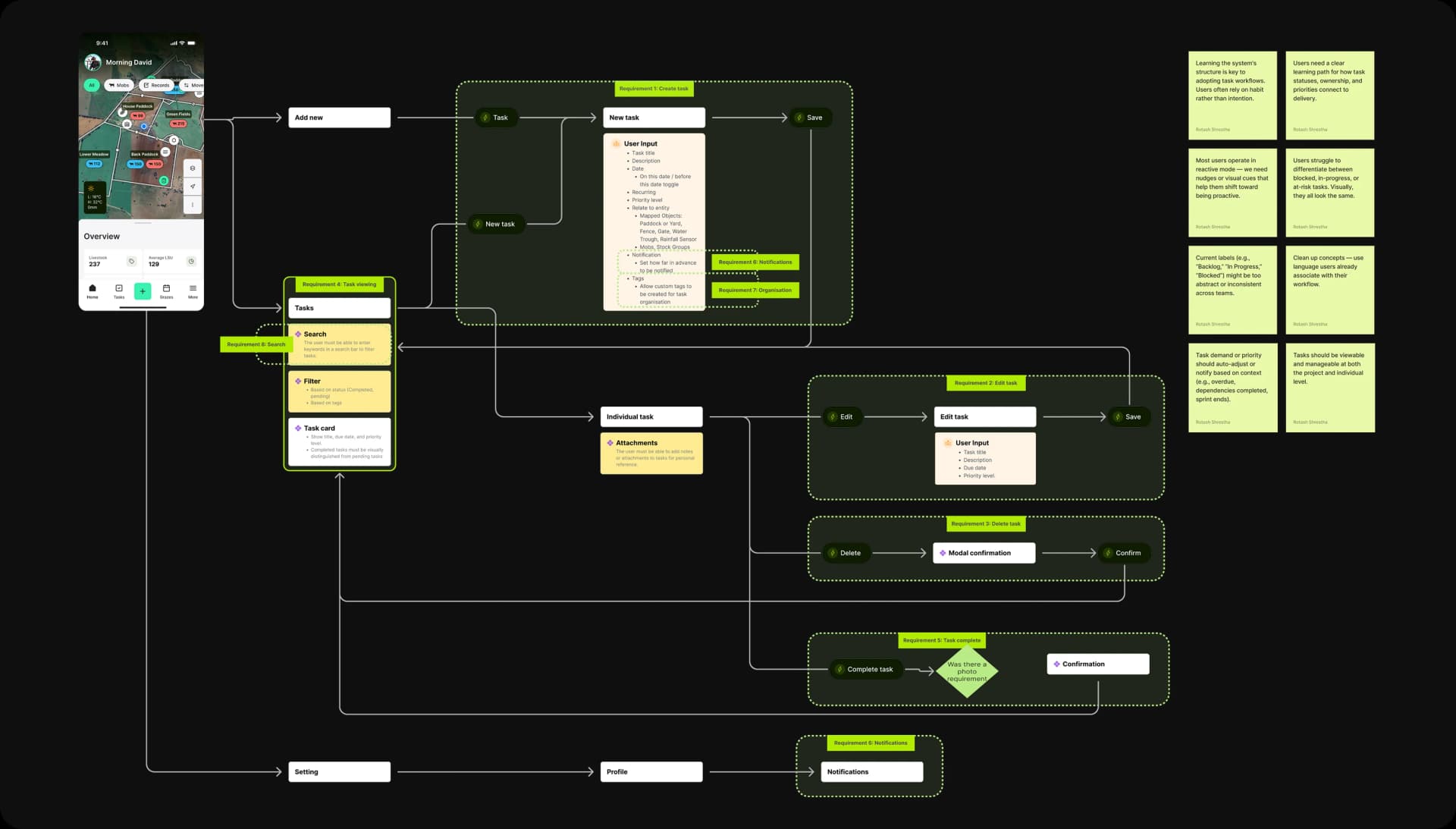
- Iterated on workflows: Core grazing plans, mob movements, and task tracking were repeatedly restructured to reduce cognitive load and surface the next best action, rather than more options. This phase created a learning-led foundation for a more intuitive and resilient product.
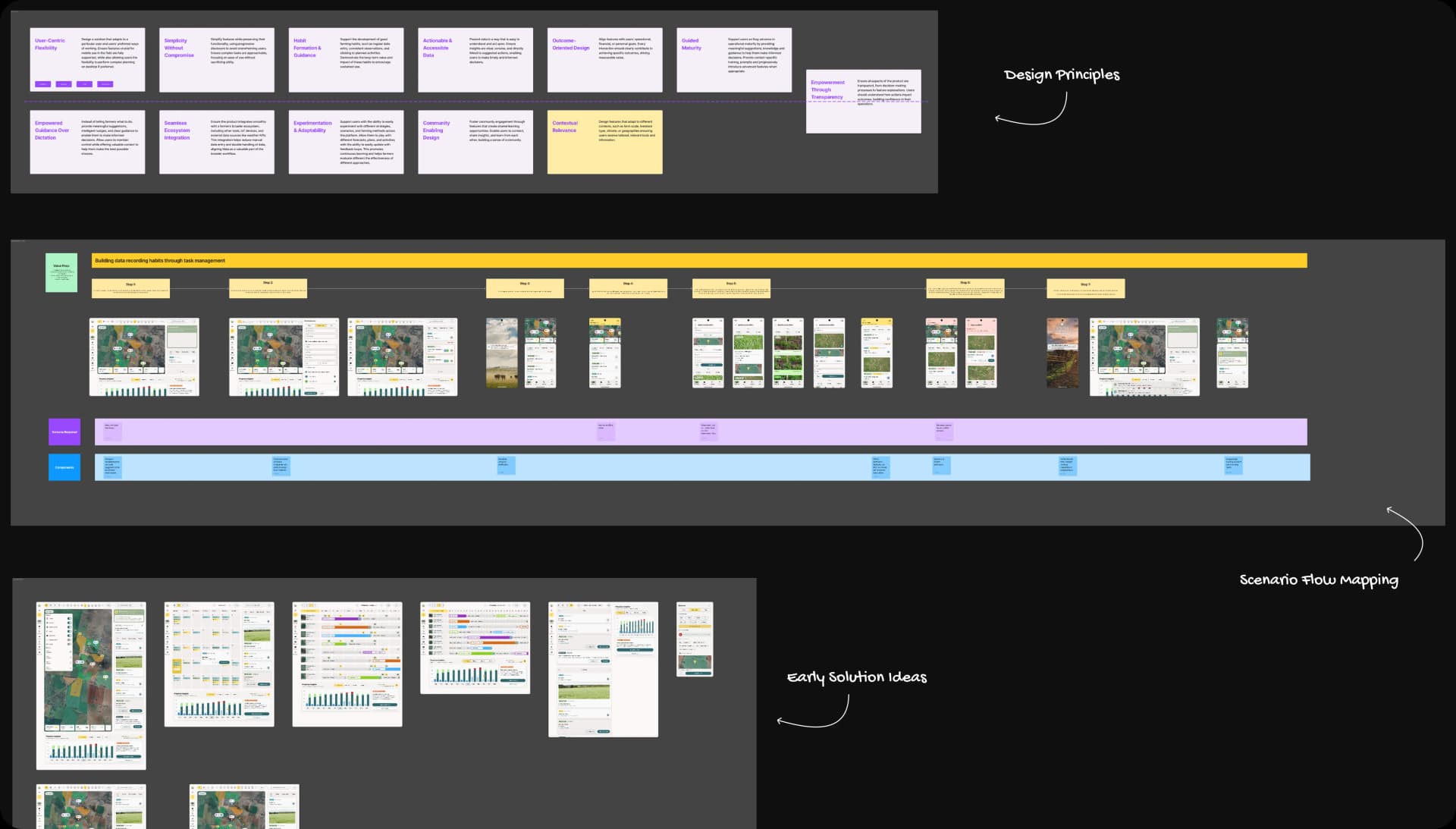
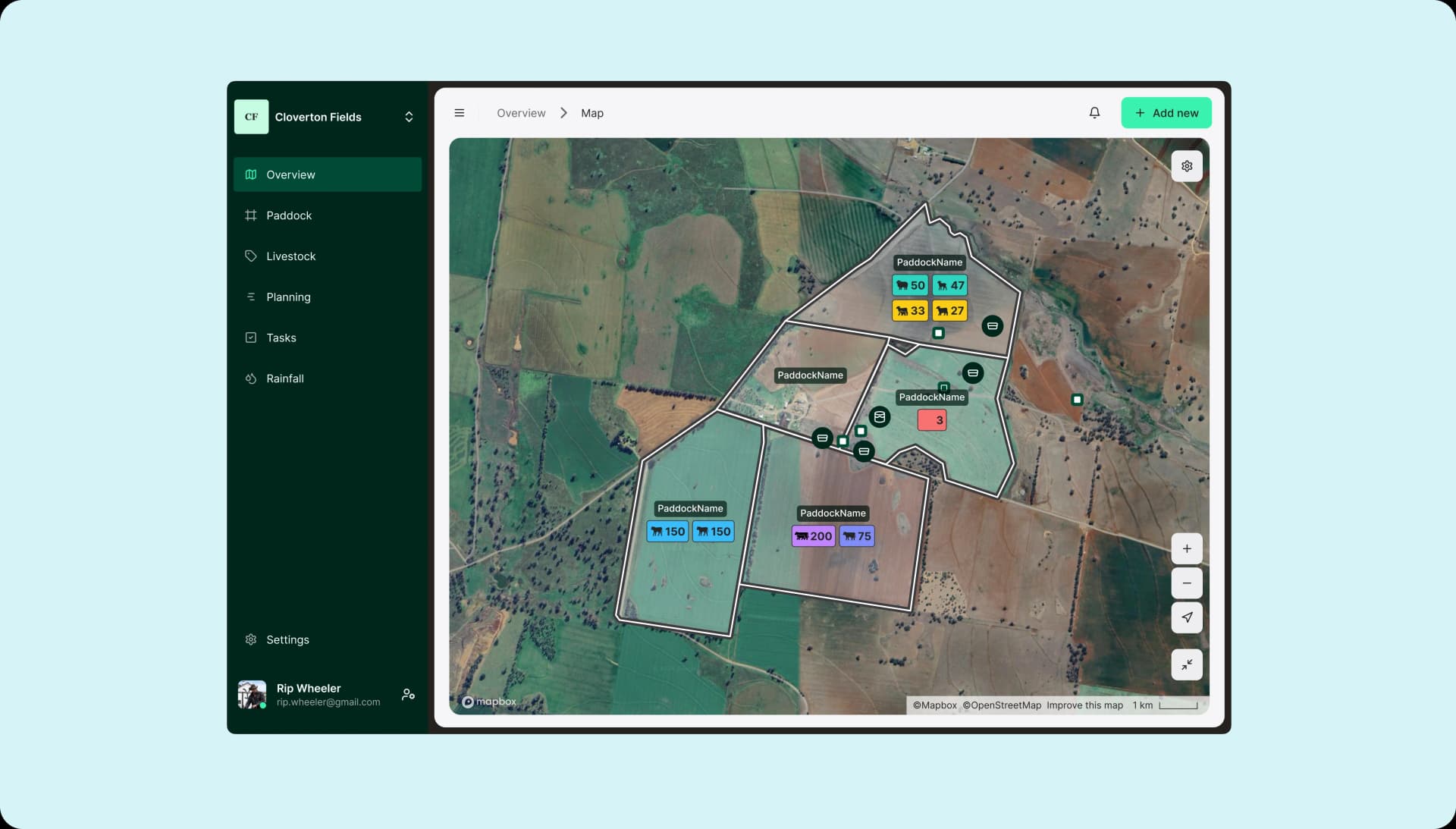
Planning Overview Desktop View
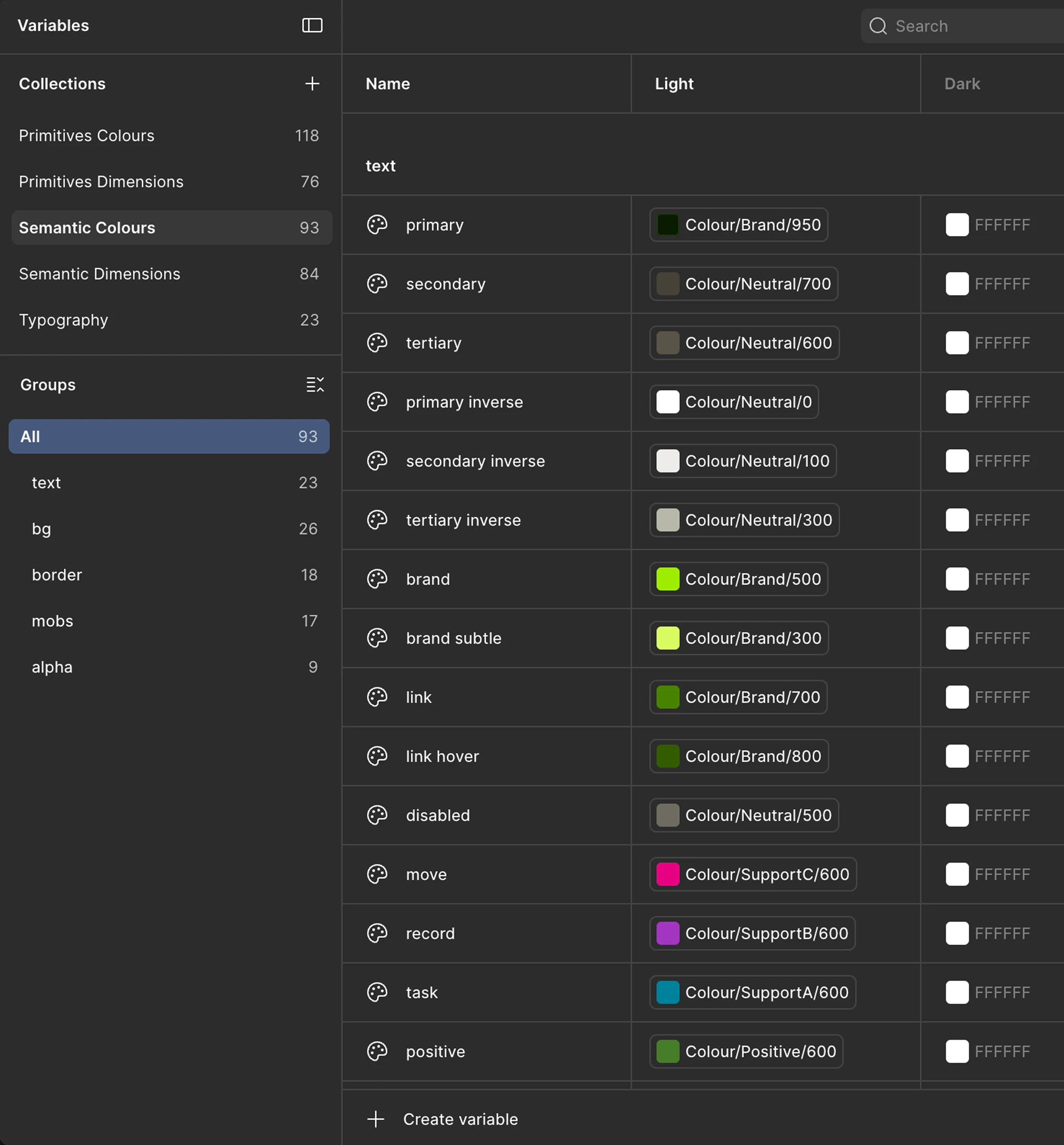
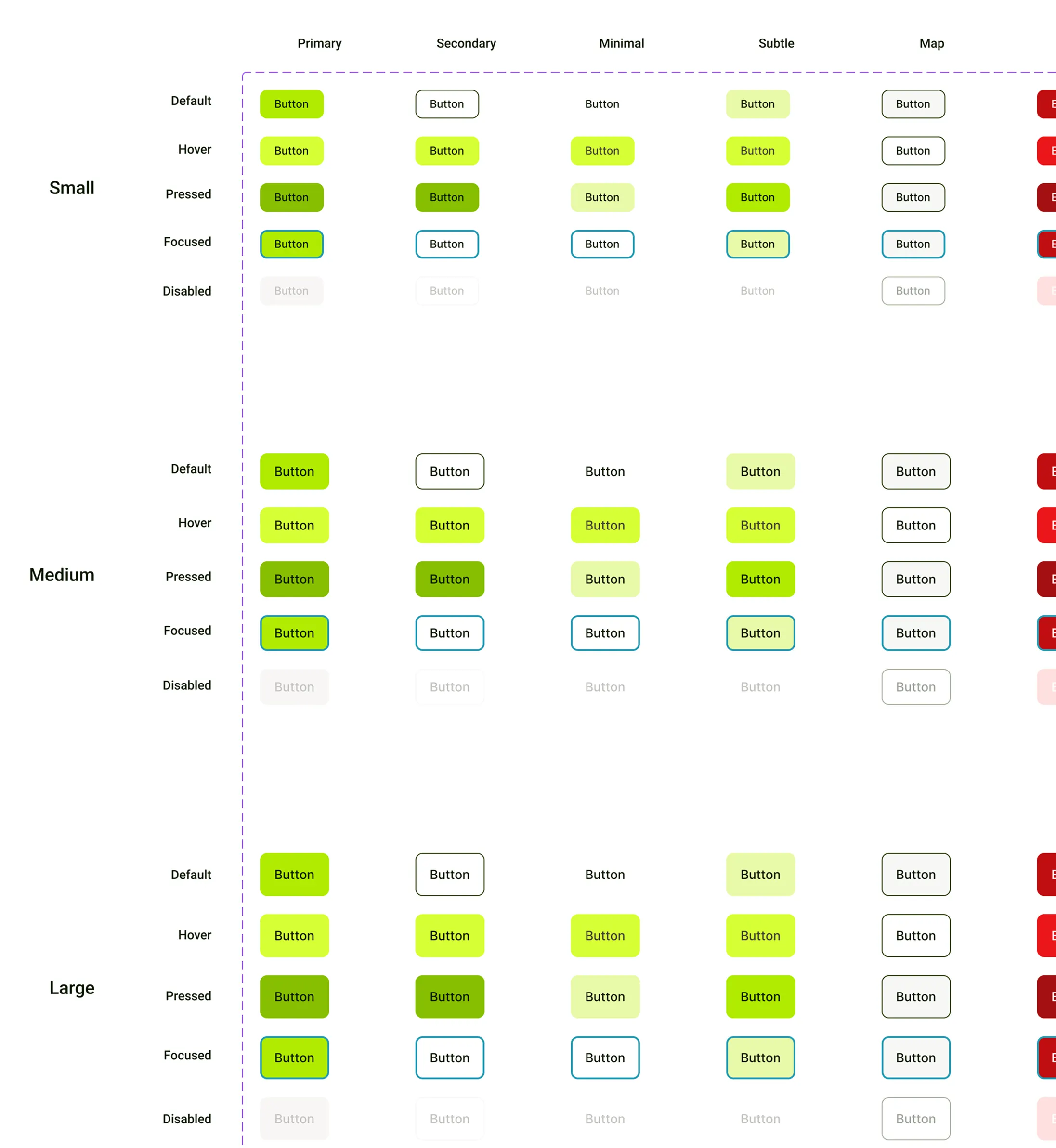
Design System
Remedies
Leveraging AI
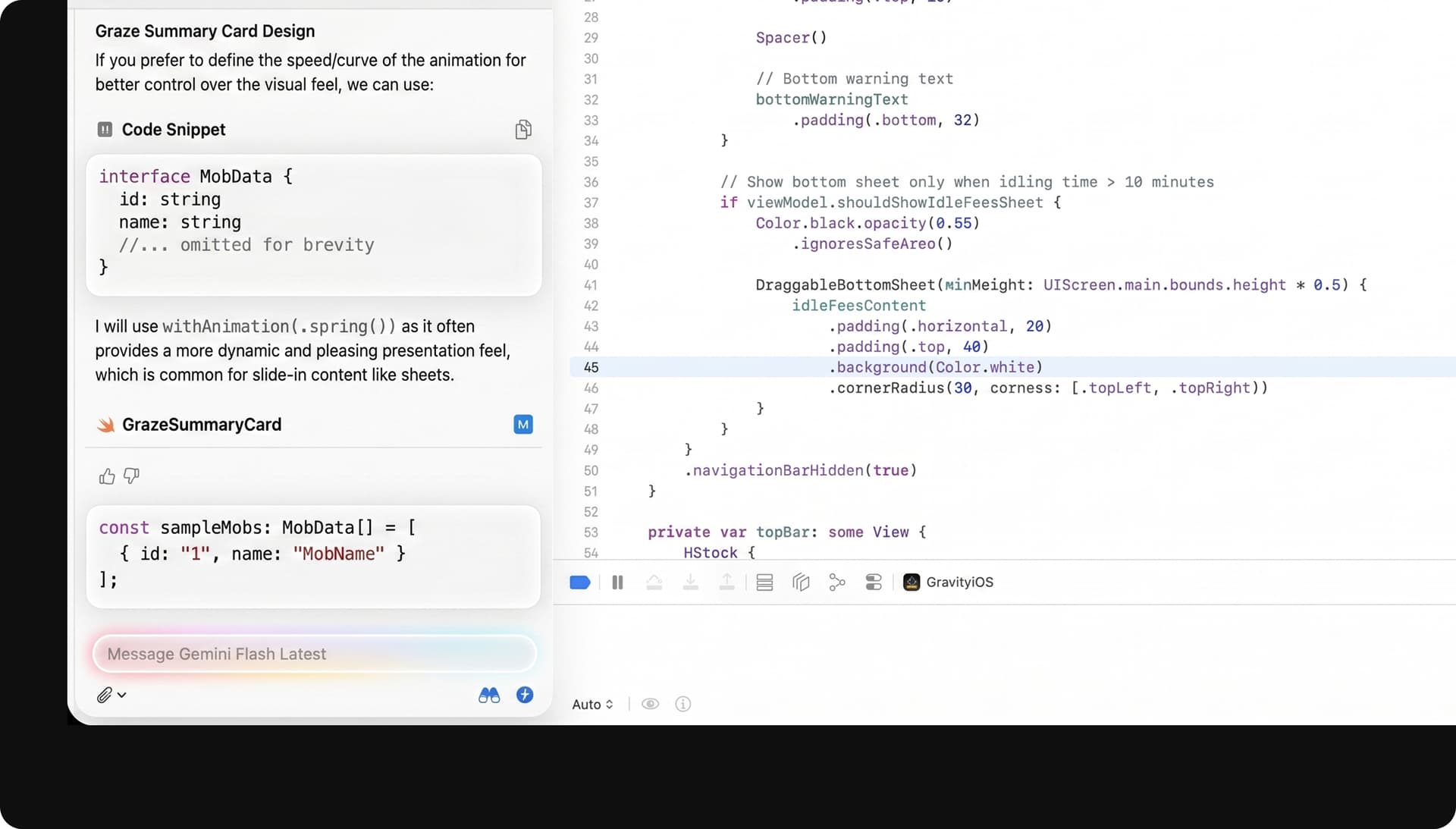
I accelerate product development by using AI to transform sketches into visual concepts and building functional prototypes in Cursor powered by real backend data. From implementing micro-animations to shipping UI fixes, I leverage Xcode 26 to push high-polish changes directly to production, drastically reducing the time from ideation to launch.
The complexity of farm workflows meant we needed fast learning loops, not polished guesses.
- Rapid experimentation: Used ChatGPT as a thinking partner to map edge cases, pressure-test logic, and explore alternative flows before committing to UI.
- Fast validation: v0.dev prototypes enabled quick testing of structure and hierarchy with stakeholders and farmers, allowing us to discard weaker models early.
- System-first bets: Instead of designing screens in isolation, I shaped a tokenised UI kit in Figma early, testing whether a system-led approach could support speed and flexibility under a six-month MVP timeline.
Solution
The final MVP focused on removing friction at the moments that mattered most:
- Reduced context-switching by collapsing calendars, mobs, paddocks, and tasks into a single decision surface.
- Supported user progression: guided for new farmers, efficient and powerful for experienced users, without re-onboarding.
- Optimised for in-field use, enabling faster updates and real-time decisions.
- Fewer ambiguities in flows led to faster implementation and better cross-team alignment.
In the details
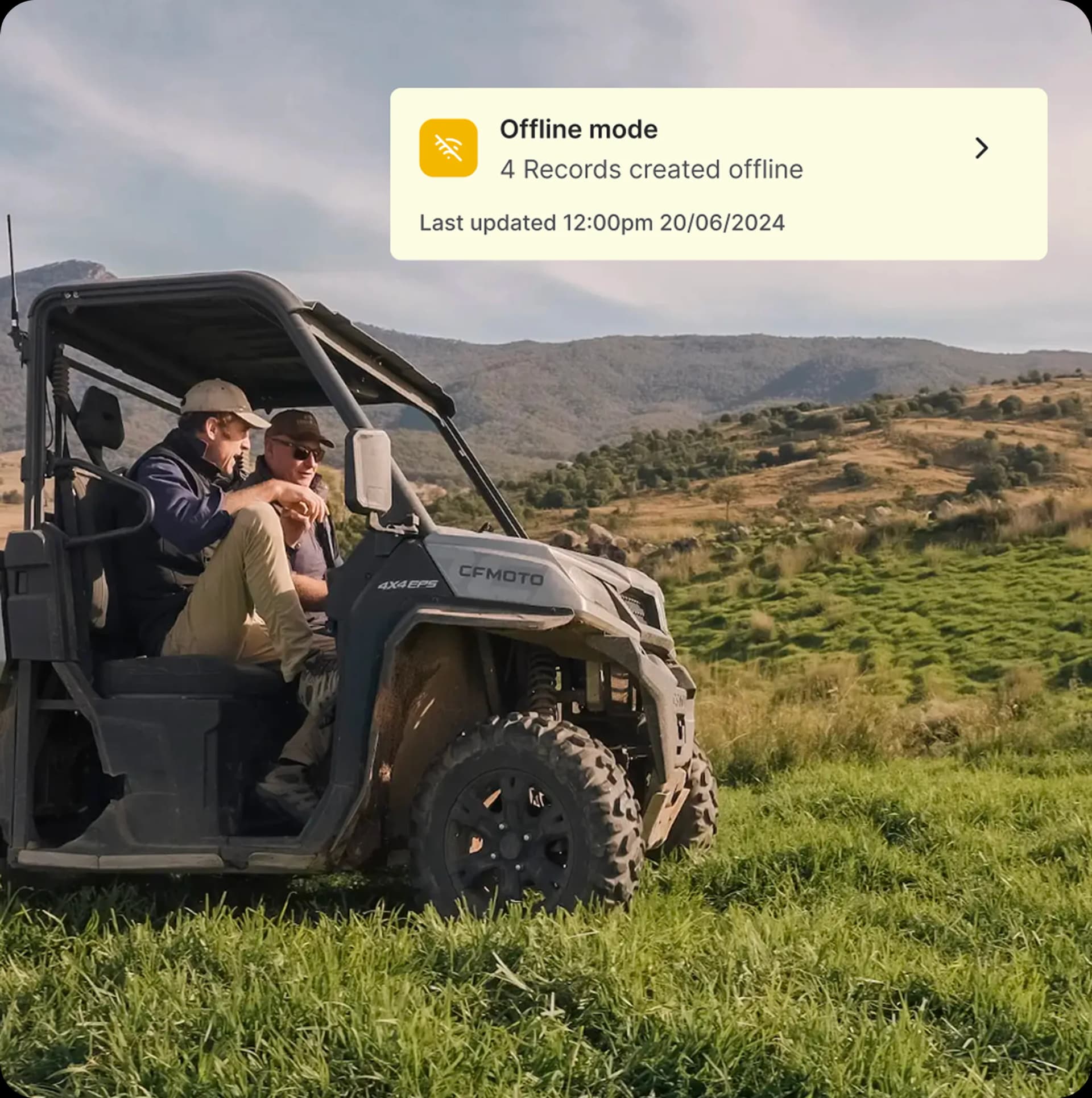
Because decisions happen in the paddock on patchy signal, I gave the in-field states as much care as the happy path. That meant an always-visible offline indicator, tap targets sized for a gloved hand in a moving vehicle, and a sync model that quietly reconciles when coverage returns, so a grazier never loses a mob movement mid-entry.
Early signals: The MVP was pilot-ready with strong engagement from rotational grazing farmers, validating the core hypothesis around simplification and confidence.